One of the most frequent mistakes independent travelers make is planning itineraries chronologically around enthusiasm rather than geography. You book a morning ticket for a landmark museum on the west side of town, spot a trendy lunch cafe on the east side, reserve an afternoon botanical garden visit back north, and finish with evening drinks in the south. By the time dinner arrives, you have spent three hours underground or stuck in traffic, navigating transit transfers instead of enjoying your destination.
Clustering your sightseeing by neighborhood transforms a frantic vacation into an unhurried, immersive experience. When your daily activities stay contained within a defined geographic district, transit becomes a minor logistical bookend to your day rather than a constant interruption.

Achieving this requires understanding the technical realities of modern mapping tools, spotting natural pedestrian corridors, and structuring your days around geographic anchors. Here is a field-tested workflow for organizing city sights to minimize your in-city transit time.
The "Multi-Stop Transit" Reality: Why Standard Map Advice Fails
Many generic planning guides tell travelers to simply "plug your whole day into Google Maps to find the best route." If you rely on public transit or walking, that advice fails immediately because of a fundamental platform limitation.
According to official documentation for Google Maps route planning, multi-stop routing allows adding up to nine intermediate stops, but only for driving, walking, or cycling. Google explicitly notes that multi-destination directions are unavailable for public transit or flights. Similarly, Apple Maps custom guides and routing permits up to 15 stops for driving and cycling, but handles public transit strictly as point-to-point journeys.
Furthermore, no mainstream mapping platform automatically solves the "traveling salesperson problem" for public transit. A navigation app will not automatically reorganize an arbitrary list of six transit stops into the most efficient topological loop.
Because of these constraints, the optimal planning method does not rely on feeding a dozen disparate points into an automated route planner. Instead, you must separate your transit logic into two distinct tiers:

- Inter-Neighborhood Transit Legs: The longer train, subway, tram, bus, or taxi rides that move you between your lodging and your designated neighborhood hubs (typically just 2 to 3 rides per day).
- Intra-Neighborhood Pedestrian Legs: Short walking hops (ideally 5 to 15 minutes) between attractions, cafes, and parks clustered within that single zone.
The 4-Step Neighborhood Clustering Workflow
To build a cohesive itinerary from an unstructured wishlist, follow this four-step clustering sequence before finalizing your daily calendar.
Step 1: Dump and Pin Your Unfiltered Wishlist
Before worrying about dates, time slots, or sequence, assemble every sight, museum, observation deck, cafe, and neighborhood market you want to see into a single spatial view.
You can accomplish this using Google Maps saved lists to drop pins on your account, or by opening a desktop session in Google My Maps to create a dedicated project map. At this stage, do not filter by opening hours or priority. Your only objective is converting abstract names into spatial coordinates.
Step 2: Identify Visual Density and Geographic Outliers
Once your wishlist is plotted on a single map, zoom out to view the metropolitan area. Patterns will immediately emerge:
- Tight Natural Clusters: You will notice three to six pins gathered tightly within a 1- to 2-kilometer radius (for example, a historic district featuring a cathedral, an adjacent municipal museum, and several nearby dining spots).
- Linear Corridors: A series of attractions strung along a single transit line, canal, or continuous parkway.
- Geographic Outliers: Solitary pins floating miles away on the edge of the city (such as a distant modern art pavilion, an outlying palace, or a secluded viewpoint).
Mark or note the outliers immediately. These isolated attractions are the primary culprits behind ruined travel schedules. If an outlier does not justify a dedicated half-day journey, prune it from your core plan or place it on a flexible backup list.
Step 3: Define Anchor Sights vs. Supporting Sights
Within each geographic cluster, differentiate your activities by their scheduling rigidity:
- Anchor Sights: Fixed-time attractions that require advance timed-entry reservations, guided tour bookings, or strict operational windows (e.g., world-renowned art galleries, historic towers, or theatrical performances).
- Supporting Sights: Flexible, drop-in points of interest that can expand or contract to fill available time (e.g., public squares, historic churches, pocket parks, independent bookstores, or street markets).
A sustainable day contains at most two anchor sights, ideally positioned in the same district or across a single easy midday transit transfer. Surrounding each anchor with flexible supporting sights ensures you never have to sprint across a metropolis to make an arbitrary booking window.
Step 4: Map the Midday Bridge
If you choose to split a single day across two separate neighborhoods, designate a clear "Midday Bridge" rather than hopping randomly between them. Plan your morning in Cluster A, identify a direct transit connection (such as a single subway line or scenic ferry), take lunch either at the end of Cluster A or upon arrival at Cluster B, and remain in Cluster B for the rest of the afternoon and evening.
Worked Example: A Fictional 3-Day City Plan
To see this workflow in practice, consider a worked planning scenario for a hypothetical three-day stay in a large cultural capital ("Metropolis X").
The Problematic Unclustered Plan (Crisscrossing the City)
- Morning: Landmark Castle (Far West)
- Lunch: Old Town Market Hall (Central East)
- Afternoon: Contemporary Art Center (Far North)
- Dinner: Waterfront Promenade (South)
- Result: Four transit hops totaling roughly 2.5 hours in subways and cabs, constant schedule stress, and physical exhaustion.
The Clustered Alternative (Minimizing Transit)
| Day | Designated District | Morning Anchor | Flexible Midday Supporting Sights | Afternoon / Evening Anchor & Hub |
|---|---|---|---|---|
| Day 1 | Historic Core & Riverfront | Central Cathedral (10:00 AM reservation) | Walk cobblestone alleys; browse municipal library; lunch at Old Town Market Hall | Waterfront Promenade, sunset scenic bridge walk, and riverfront dining |
| Day 2 | Hilltop Castle & West Quarter | Landmark Castle (09:30 AM entry) | Royal Rose Gardens; historic overlook; relaxed cafe stop along West Ridge | West Quarter craft breweries; neighborhood architecture walk |
| Day 3 | North Arts & University Hub | Botanical Gardens (Morning stroll) | University Plaza; local bookstore corridor; independent bistro lunch | Contemporary Art Center (03:00 PM entry); local jazz club in North Quarter |
In the clustered schedule, each day involves only two primary transit rides: a morning journey from your accommodation to that day's target zone, and an evening return trip. All mid-day movements take place on foot in 5- to 15-minute increments.
Practical Digital Tools and Navigation Safeguards
Executing a neighborhood-clustered trip smoothly requires practical management of your mapping tools, especially when navigating dense urban transit networks or traveling abroad.

Building Distinct Layers
When preparing custom maps in Google My Maps by adding places, create separate layers for each calendar day or neighborhood cluster (e.g., "Day 1 - Historic Core," "Day 2 - West Quarter"). In the mobile Google Maps application, access these custom layers under Saved > Maps. Toggling individual layers on and off helps you visualize what is nearby without cluttering your screen with points from other days.
Managing Offline Navigation Realities
International roaming can be unpredictable. Be mindful of how offline mapping features operate across different operating systems:
- Google Maps: While you can download offline areas in Google Maps to preserve basemap imagery and driving routes, Google's offline system does not support public transit or walking directions.
- Apple Maps: If using iOS 17 or newer, you can download offline maps on iPhone, which supports walking and transit routing within downloaded boundaries where regional support exists.
If you rely on Google Maps in a low-connectivity environment, use your saved neighborhood list visually on the map canvas and follow street names manually if turn-by-turn pedestrian navigation is disabled offline.
Common Mistakes That Break Neighborhood Clusters
Even seasoned travelers occasionally disrupt their clustering efforts. Watch out for these three common pitfalls:
- Chasing Viral Dining Recommendations Across Town: Altering your entire daily schedule just to visit a specific viral bakery or coffee shop three districts away immediately destroys geographic efficiency. Instead, collect dining options within each neighborhood cluster so you have quality culinary choices wherever your sightseeing naturally leads you.
- Ignoring Weekly Museum Closures: Grouping four museums in the same cultural quarter is brilliant—unless all four close on Mondays. Always verify operating days for each district before assigning days of the week to your clusters.
- Over-Packing the Daily Boundary: Grouping seven paid attractions into a single district still leads to fatigue if you attempt to enter all of them in eight hours. Keep paid, enclosed interior visits to two per day, filling the remaining neighborhood time with exterior architecture, parks, and spontaneous exploration.
Keeping Your Daily Clusters Organized
Once you have grouped your activities geographically, keeping track of your daily anchors, confirmation receipts, and notes without juggling multiple browser tabs is the next challenge.
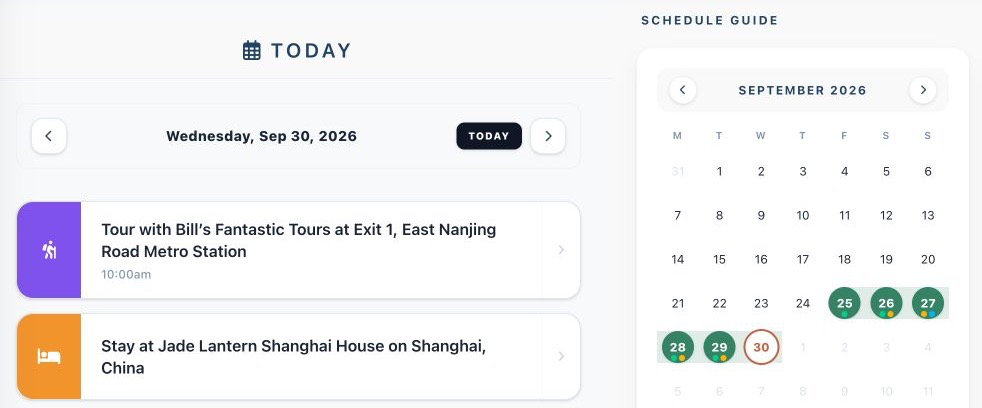
While personal map pins help you visualize geographic proximity on the street, pairing your map with a dedicated travel organizer keeps your timed reservations, lodging check-ins, and daily plans aligned in one central hub. Suitcase2Go lets travelers organize complete trips—combining flights, stays, and structured daily plans in a unified dashboard. By keeping your clustered itineraries clearly cataloged alongside your bookings, you can spend less time checking confirmation emails on crowded subway platforms and more time exploring each neighborhood at your own pace.