Arriving in a foreign hotel only to realize your charger will not fit the wall outlet—or worse, watching a styling tool fry because of an incompatible electrical grid—is one of the most frustrating ways to begin a trip. Keeping laptops, phones, cameras, and personal care appliances running across international borders requires a solid understanding of plug shapes, grid voltage, appliance wattage, and airline battery restrictions.
Power infrastructure varies significantly around the world. Planning your charging kit methodically prevents damaged hardware, fire hazards, and airport security confiscations.

1. Plug Adapters vs. Voltage Converters: The Critical Difference
The most common mistake international travelers make is confusing a mechanical plug adapter with an electrical voltage converter. They perform completely separate functions.
- Travel Plug Adapters: A plug adapter simply reshapes the physical prongs of your power cord so it can physically slide into a foreign wall socket. It conducts electrical current directly from the wall to your device without changing the voltage or frequency. If your plug fits using only a basic adapter, your device receives whatever voltage the local electrical grid outputs.
- Voltage Converters and Transformers: A converter or transformer actively steps foreign electrical voltage up or down—for instance, converting a 230-volt European supply down to 110–120 volts to match standard North American appliances. Transformers are typically bulky, heavy, and intended for continuous low-draw electronic use, whereas electronic converters are designed for short-duration heating elements.
According to consumer safety guidance from Electrical Safety First, connecting a device designed exclusively for 110–120 volts directly into a 220–240 volt supply creates an immediate risk of fire, permanent equipment destruction, and electric shock.
How to Inspect Your Device's Voltage Rating
Before packing any electrical item, find its manufacturer label. This is usually stamped into the plastic casing of the power brick or etched near the power cord:
- Dual-Voltage or Multi-Voltage (Safe with simple adapters): Look for an input line that reads
INPUT: 100–240V ~ 50/60Hz. This indicates the internal power supply automatically adjusts to any standard commercial grid in the world. Modern smartphones, laptops, camera battery chargers, tablets, and e-readers are almost universally multi-voltage. For these devices, you only need a physical pin adapter. - Single-Voltage (Requires caution or leaving at home): If the label states only
INPUT: 120V ~ 60Hzor110V, the appliance is not safe to plug into higher-voltage foreign grids without an appropriate step-down converter.
2. Grounding, Fuses, and High-Draw Appliances
Even when voltage lines match, physical adapter construction introduces safety constraints that travelers frequently overlook.
Grounding (Earthing)
Wall outlets generally come in grounded (three-prong) or ungrounded (two-prong) configurations. Grounding provides a safe path for fault currents, preventing electrical shocks if internal wiring touches an appliance's metal frame.
As safety testing from Electrical Safety First emphasizes, grounded three-prong appliances must never be forced into ungrounded two-pin travel adapters. Two-pin adapters are only safe for Class II "double-insulated" equipment, which is marked with a distinctive concentric double-square symbol on its compliance plate.

The Danger of Hair Dryers, Irons, and Kettles
High-draw heating appliances are the leading cause of blown fuses in travel adapters and hotel rooms. Universal travel adapters contain internal fuses rated between 6 and 10 amperes (A). At 230 volts, a 10A fuse handles a theoretical maximum load of approximately 2,300 watts; on a 6A adapter, the safety threshold is roughly 1,380 watts.
A domestic hair dryer, curling iron, or garment steamer running on high heat regularly pulls between 1,600 and 2,200 watts. If a single-voltage 120V hair dryer is plugged into a foreign 230V socket through a basic adapter, the element draws destructive levels of power, melting the adapter casing and tripping circuit breakers. If you rely on heated styling tools, purchase a dedicated dual-voltage travel model with a manual mechanical switch, or plan to use the amenities provided by your accommodation.
3. Choosing Your Hardware: Universal Blocks vs. Regional Adapters
Regional electrical plug standards evolved during early 20th-century municipal electrification projects that expanded independently before international standardization efforts existed, as documented by the International Electrotechnical Commission. As a result, travelers must choose between all-in-one universal blocks and dedicated regional adapters.
| Adapter Type | Primary Strengths | Practical Tradeoffs | Best For |
|---|---|---|---|
| All-in-One Universal Adapter | Covers multiple regions (UK, EU, US, AU) in one unit; often includes integrated USB-C ports. | Heavy and bulky; can sag or loosen in worn, recessed European wall outlets. | Multi-country transit itineraries and digital nomad bags. |
| Country-Specific Dedicated Plugs | Compact, sturdy, lightweight, and seats flush against wall plates without drooping. | Requires packing separate adapters for different regions; lacks integrated USB ports. | Point-to-point trips with a single destination country. |
| Multi-Port GaN Wall Charger | Replaces multiple heavy power bricks; delivers fast USB-C PD power for laptops and phones. | Requires country-specific input plug or plug adapter; does not take standard AC appliance cords. | Travelers carrying primarily USB-C powered devices. |
For most travelers, modern Gallium Nitride (GaN) multi-port chargers have eliminated the need to carry four separate charging bricks. A single 65W to 100W GaN charger with interchangeable international prongs can power a laptop, phone, and headphones simultaneously from one wall outlet.

4. Power Banks and Aviation Safety Regulations
External battery packs are subject to strict international aviation safety laws due to the thermal runaway risk posed by lithium-ion cells. Confiscation at security checkpoints is common when travelers misunderstand capacity limits or packing protocols.
The Carry-On Only Rule
Under hazardous materials guidelines published by the Federal Aviation Administration and screening protocols enforced by the Transportation Security Administration, spare uninstalled lithium-ion batteries and power banks are strictly forbidden in checked baggage. They must be carried in your carry-on luggage inside the aircraft cabin.
- Gate-Check Warning: If flight attendants require you to gate-check your carry-on rollaboard bag because overhead bins are full, you must open your bag and remove all power banks and spare lithium batteries before handing the luggage over.
- Terminal Protection: Battery terminals must be protected against short circuits. Keep external batteries in dedicated sleeves, pouches, or their original retail packaging.
The 100 Watt-Hour (Wh) Standard
Aviation authorities rely on Watt-hours (Wh) rather than milliampere-hours (mAh) to determine legal battery capacity. Standard consumer allowances without special airline approval permit power banks up to 100 Watt-hours.
To determine if your power bank complies with the 100 Wh threshold, calculate: $$\text{Watt-hours (Wh)} = \frac{\text{Capacity in mAh}}{1000} \times \text{Nominal Cell Voltage (V)}$$
Most lithium-ion power banks operate at an internal nominal cell voltage of 3.7 volts. A 20,000 mAh battery pack translates to: $$\frac{20000}{1000} \times 3.7 = 74\text{ Wh}$$
This 74 Wh pack falls comfortably below the 100 Wh regulatory limit. However, a 30,000 mAh pack equates to roughly 111 Wh, which requires prior airline permission under FAA rules and is categorized as forbidden for passenger carriage under recent guidance from the International Air Transport Association.
Additionally, international passenger safety rules regulated through IATA limit travelers to a maximum of two spare power banks not exceeding 100 Wh each. Power banks should remain accessible at your seat rather than stored in overhead bins, and airlines frequently prohibit recharging the power bank itself from in-seat aircraft sockets.
5. Step-by-Step Travel Power Logistics Plan
Organize your electrical gear ahead of departure with this step-by-step preparation workflow:
- Audit Every Device Label: Line up the electronics you intend to carry. Confirm that each charger displays
100–240Vcompatibility. Set aside single-voltage 120V heating appliances. - Consolidate Around USB-C: Standardize cords by packing multi-use cables (such as USB-C to USB-C and USB-C to Lightning). Pair them with a multi-port GaN wall plug to minimize the number of physical wall adapters you need.
- Inspect Power Bank Markings: Verify that your portable charger's factory-stamped Wh or mAh rating is legible. Security screeners at international hubs can confiscate power banks if the capacity text is rubbed off or unreadable.
- Pack a Small Grounded Adapter as Backup: If your laptop brick uses a three-prong earthed connection, ensure you carry an adapter that properly supports grounding in your destination country.
- Keep Charging Accessories in Your Personal Item: In addition to keeping your power banks inside the cabin to comply with aviation regulations, packing an adapter and charging cord in your personal item ensures you can power devices during transit or flight delays.
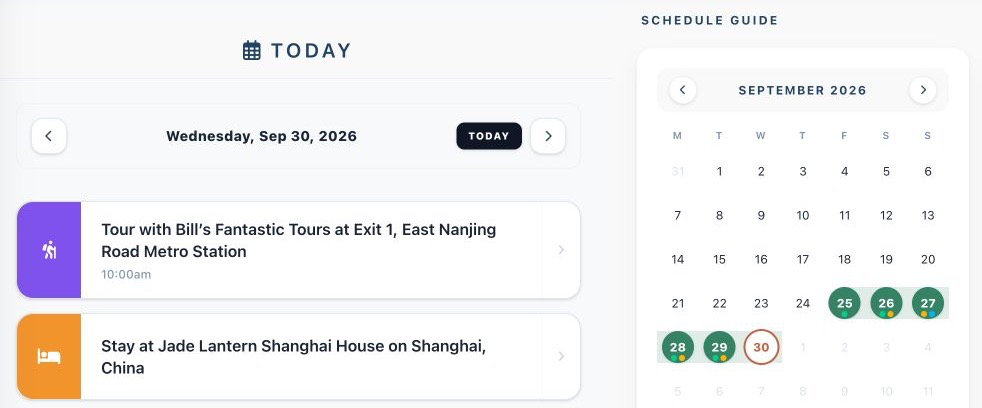
Keeping your packing lists, flight itineraries, and hotel reservations consolidated in one accessible workspace makes travel logistical planning significantly simpler. You can organize your upcoming trip details, daily schedules, and reservations directly at Suitcase2Go.