
High-value travel rewards often start with generous credit card welcome offers, but hitting substantial minimum spending thresholds—often $4,000 to $15,000 within three to six months—can pose a logistical hurdle for small-business owners and freelancers. A significant portion of routine operating overhead still relies on paper checks, automated clearing house (ACH) transfers, or direct wire payments. Landlords, specialized service providers, wholesale distributors, and local tax authorities frequently refuse to accept credit cards directly due to interchange merchant fees.
Accounts payable platforms bridge that gap by processing a card transaction on your side and remitting cash or a physical paper check on the receiving end. One of the most prominent services in this category is Melio Pay, a business-to-business bill-settlement platform designed to streamline vendor invoicing.
Before charging operational expenses to your preferred travel card, you must understand the underlying fee structure, delivery timelines, network acceptance rules, and regulatory guardrails. Charging a business expense through a third-party payment intermediary incurs real cash fees, meaning the strategy is only viable when the travel points or sign-up bonuses outpace the transaction cost.
The Core Mechanics: How Melio Functions
Melio operates as a business accounts payable system rather than a peer-to-peer consumer network. When you schedule a bill payment through Melio, you charge the expense to an eligible corporate or personal business credit card. Melio processes the charge through standard merchant channels, assesses a processing fee, and then delivers the payment to your vendor through the vendor’s preferred medium: either a direct ACH bank deposit or a physical paper check dispatched via the United States Postal Service.
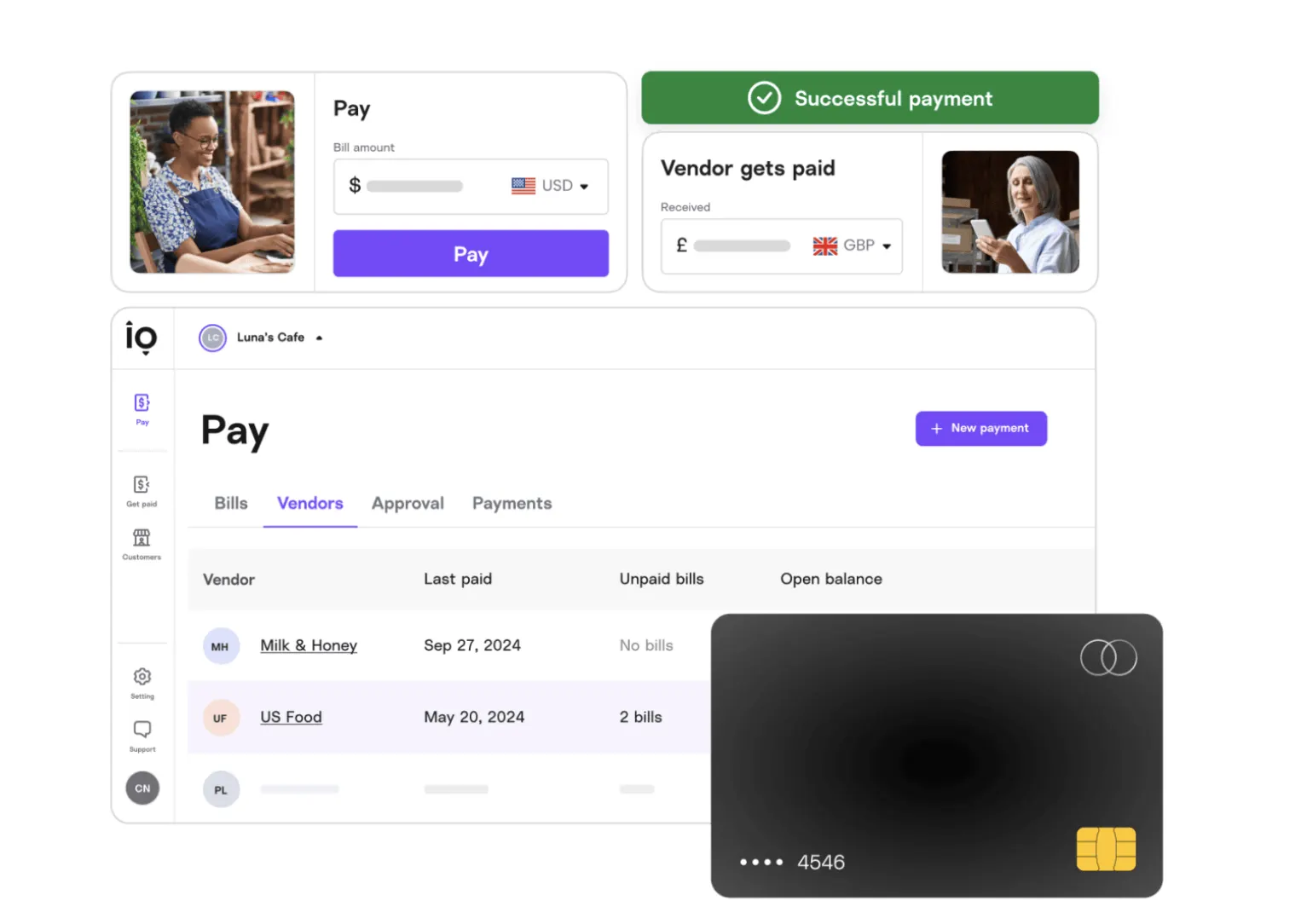
The receiving business does not need an active Melio account to receive the funds. If the vendor accepts direct bank deposits, Melio collects the payee's routing and account details through a secure intake workflow. If the vendor operates strictly via traditional mail, Melio cuts and mails a standard paper check drawn against their disbursement account with your business's name, invoice number, and memo details clearly displayed.
According to Melio's operating terms, standard card payments delivered via bank transfer generally take three to four business days to post, while paper checks sent via standard postal mail typically require five to seven business days. For time-sensitive commitments like commercial rent or estimated tax deadlines, building a one-week scheduling buffer is critical to prevent late penalties.
Evaluating the 2.9% Processing Fee: The Points Math
Melio applies a flat 2.9% credit card processing fee across major payment card networks, including Visa, Mastercard, American Express, and Discover. Whether paying a $500 contractor bill or a $10,000 inventory invoice, that 2.9% charge adds directly to your statement balance.
Because baseline business credit cards typically return between 1.5% cash back and 2.0 transferable points per dollar spent on unbonused purchases, using Melio for everyday ongoing spending represents a net mathematical loss under normal conditions:
- Paying a $5,000 supplier invoice incurs a $145 transaction fee at 2.9%.
- Earning a standard 2.0x points per dollar on that $5,000 outlay yields 10,000 points.
- For the transaction to break even, each point would need to deliver an effective redemption value of at least 1.45 cents.
While experienced points and miles travelers often achieve redemption valuations above 1.5 cents per point when transferring rewards to airline loyalty programs for long-haul international flights, the margin is too slim to justify the friction and cash outlay on ordinary spend.
When the Strategy Makes Mathematical Sense
The financial equation shifts dramatically when the expenditure helps you unlock a tiered credit card welcome bonus or satisfy an annual spending hurdle (such as reaching airline elite status or unlocking an annual hotel free-night certificate):
| Spending Scenario | Card Charged | Processing Cost (2.9%) | Rewards Earned | Estimated Value | Net Advantage |
|---|---|---|---|---|---|
| $6,000 Vendor Invoice (Welcome Bonus Goal) | New Premium Business Card | $174 | 75,000 bonus points + 6,000 base points | ~$1,450 (at 1.8¢ per point) | +$1,276 net profit |
| $3,000 Quarterly Business Tax (Welcome Bonus Goal) | New Mid-Tier Card | $87 | 50,000 bonus points + 3,000 base points | ~$800 (at 1.5¢ per point) | +$713 net profit |
| $5,000 Routine Rent (No Bonus / Base Spend) | 2.0x Everyday Earning Card | $145 | 10,000 base points | ~$180 (at 1.8¢ per point) | +$35 net profit (marginal) |
When deployed deliberately during the initial three-month spending window of a newly opened card, paying non-card expenses through Melio serves as an effective mechanism to secure bonuses that would otherwise remain out of reach due to everyday budget constraints.
Melio Subscription Tiers: Free vs. Paid
Melio structures its platform across three primary software tiers, as outlined on the official Melio Pricing Page. Choosing the right tier ensures you do not incur unnecessary monthly overhead:
1. Melio Go ($0 per month)
The entry-level tier carries no recurring monthly subscription fee and provides full access for a single business administrator. Users can upload invoices via manual data entry or automated scan capture and can process unlimited credit card payments subject to the standard 2.9% transaction fee. The plan also includes up to five free standard ACH bank transfers each calendar month (additional ACH transfers cost $0.50 each). For individual business owners seeking to meet credit card minimum spending milestones, the Go tier offers everything necessary without added overhead.
2. Melio Core ($25 per month, or $20 billed annually)
The Core tier is intended for expanding operations requiring team access. It includes 20 free standard ACH transfers per month ($0.50 each thereafter), multi-user seat expansion options (for an additional per-user monthly charge), custom approval hierarchies, and two-way integration with QuickBooks Online and Xero cloud accounting systems.
3. Melio Boost ($55 per month, or $44 billed annually)
The highest self-service plan expands capabilities to 50 free standard ACH transfers per month, comprehensive QuickBooks Desktop system synchronization, complex multi-level approval workflows, and priority customer service routing.
Permitted Business Expenses vs. Prohibited Transactions
Melio enforces strict compliance controls regarding authorized payees. Because the service operates strictly on a business-to-business infrastructure, both the originating party and the receiving recipient must represent bona fide commercial or professional entities, as confirmed in the Melio Help Center guidelines on eligible payments.
Eligible Payees
- Commercial Real Estate: Lease payments and monthly rent, provided the recipient is an incorporated commercial landlord or property management enterprise (not an individual private owner).
- Professional Services: Legal retainers, certified public accountant (CPA) auditing services, and independent design or technical agencies.
- Independent Contractors: Payments to 1099 freelancers and professional service contractors.
- Operational Supplies: Physical inventory, wholesale merchandise, raw materials, and specialized industrial equipment.
- Commercial Utilities & Taxes: Corporate telecommunications, commercial electricity, and state or federal business tax liabilities.
Prohibited Categories
Card networks and regulatory compliance rules explicitly forbid certain transaction types through the platform, as detailed in the Melio Help Center guide on unsupported payment types:
- Debt & Mortgage Servicing: You cannot use Melio to pay residential or commercial mortgages, car loans, lines of credit, or personal credit card balances.
- Personal Living Expenses: Household residential rent paid to private landlords, consumer personal bills, and family gifts are strictly barred.
- Payroll & Owner Distributions: Traditional W-2 employee payroll distributions, balance transfers to personal bank accounts, and partner draw distributions cannot be funded via credit card.
- Securities & Escrow: Retirement account deposits, 401(k) allocations, trust accounts, and escrow transfers are excluded.
- Restricted Industries: Melio prohibits transactions involving adult entertainment, firearms, cannabis dispensaries, and gambling establishments.
Attempting to run prohibited transactions risks account suspension and could trigger credit card issuer scrutiny, potentially leading card networks to recategorize the payment as a cash advance or terminate your rewards.
Step-by-Step: Scheduling a Card Payment in Melio
Setting up an initial payment requires verifying your business entity and preparing the invoice documentation:
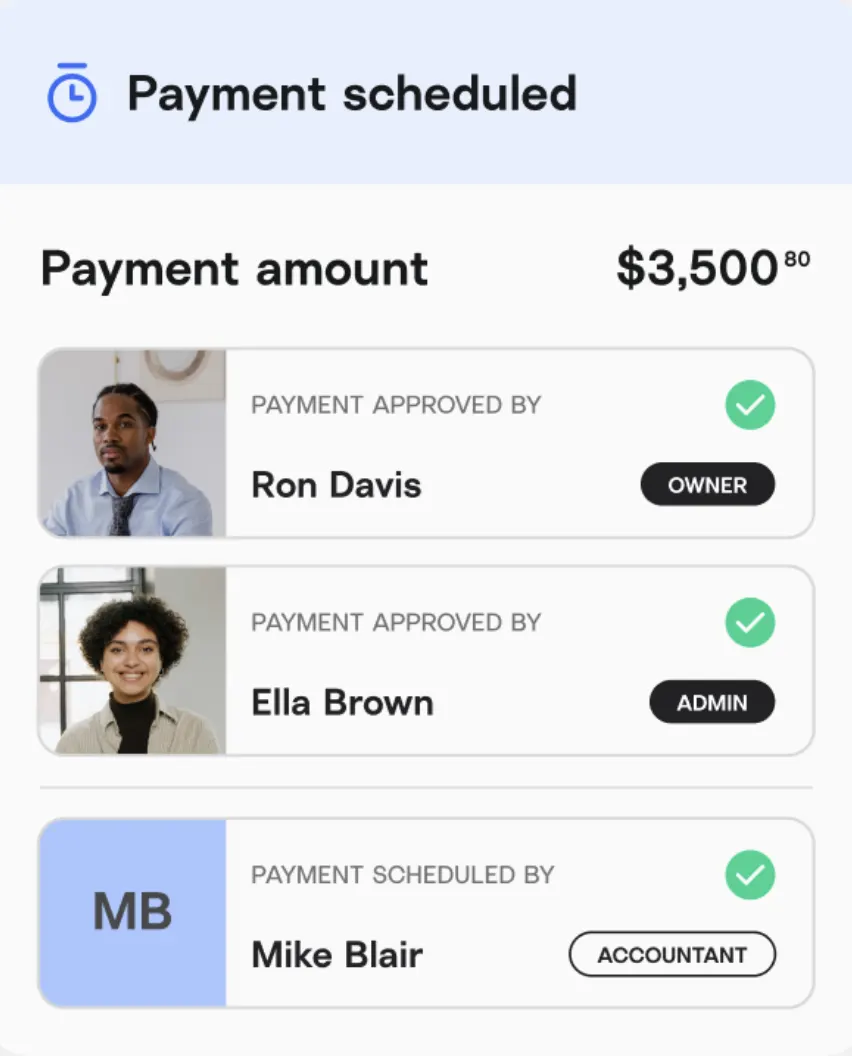
- Create and Verify the Account: Register using your official business legal name, employer identification number (EIN) or registered sole proprietor details, and operational address.
- Upload Invoice Documentation: Navigate to the main dashboard and choose Add a bill. You can drag and drop a PDF bill, upload an image from your device, connect your cloud accounting ledger, or enter the vendor details manually. The system extracts the vendor name, invoice reference number, and billed balance.
- Select the Payee and Delivery Mechanism: Designate your recipient. If paying by paper check, provide the vendor’s physical mailing remittance address. If sending an ACH bank transfer, input their verified routing and checking account figures, or allow Melio to send a secure intake email inviting the vendor to input their banking details directly.
- Attach Your Card: Under the payment instrument screen, designate a credit card as your funding source. Verify that your billing address matches the file with your issuing bank.
- Review Fees and Schedule Delivery: The final verification panel displays the itemized bill total, the exact 2.9% card fee, and the projected settlement date. Select your desired processing date and authorize the payment.
Essential Risk Controls and Practical Recommendations
Executing this payment strategy effectively requires active monitoring to protect both your business credit and the points you earn:
- Confirm Rewards Coding: After processing an initial test payment, monitor your credit card activity to confirm the transaction registers as a standard commercial purchase rather than a cash advance. Legitimate payments on Melio code as business software or accounts payable purchases, but maintaining a zero cash-advance limit with your issuing bank provides an added layer of safety.
- Account for Mailing Windows: When selecting the paper check disbursement method, track the transit window. Paper checks depend on standard postal logistics; factor in public holidays and weekend cutoffs when coordinating deadline-sensitive vendor obligations.
- Retain Detailed Invoices: Melio’s compliance department routinely audits larger single-transaction disbursements. Always retain matching documentation—such as signed contractor scopes of work, formal commercial lease contracts, or itemized wholesale supplier receipts—to verify legitimate business purposes.
Integrating accounts payable software into your broader travel strategy allows you to turn mandatory business overhead into flexible points and miles for your next itinerary, keeping out-of-pocket costs manageable while accelerating your route to premium-cabin and luxury lodging redemptions.